How to Get Started on a Peloton Bike
Discover how to start riding a Peloton bike with a practical setup, app basics, beginner classes, safety checks, and a simple routine to build confidence and consistency.


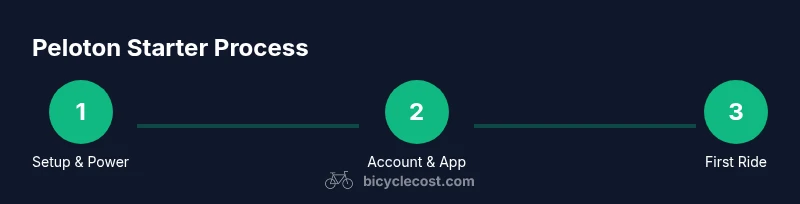
You will learn how to get started on a Peloton bike by setting up the hardware, connecting to the app and Wi‑Fi, choosing a starter class, and building a simple routine. Start with proper seat and handlebar alignment, a comfortable cadence goal, and a beginner-friendly class plan. This reduces wobble and improves consistency from day one.
Setup Essentials for your Peloton Bike
According to BicycleCost, proper setup is the foundation of a safe, comfortable ride on a Peloton bike. The BicycleCost team found that screen height, seat position, and pedal tension greatly influence comfort and cadence accuracy during the first rides. Start by placing the bike on a stable surface with enough room to move freely around the frame. Plug into a reliable power outlet and connect to a stable Wi‑Fi network later in the onboarding flow. Make sure the mat and towel are within easy reach to support a focused, sweat-friendly session.
Next, adjust the seat height so your leg has a slight bend at the bottom of the pedal stroke. Adjust the handlebar reach so your wrists rest gently on the bars without locking elbows. If you’re using clip-in pedals, practice clipping in and out in a safe area before the first live class. Have a water bottle handy, and consider a yoga mat or soft surface under the bike to reduce noise and vibration. A quick pre-ride wipe down with a clean cloth helps prevent sticky pedals and a squeaky frame.
With setup complete, you can proceed to power on and begin the pairing process with the Peloton app. If the bike has multiple profiles, create a beginner profile that captures your starting fitness level and goals. This setup ensures you see the right classes and receive appropriate coaching cues as you start.
Getting Connected: App, Account, and Profiles
Getting connected is the bridge between hardware and coaching. Sign in to your Peloton account from the touch screen or mobile app. If you don’t have an account yet, follow the prompts to create one and verify your email. After login, pair any Bluetooth accessories you plan to use, such as a heart-rate monitor or cadence sensor. Ensure your Wi‑Fi is stable to prevent class buffering during workouts.
Next, review your profile settings. Create a beginner profile or adjust your current one to reflect your starting fitness level and goals. This helps the platform tailor class recommendations and coaching cues. Finally, verify your subscription status if you plan to access the full library of classes. If you only want guided runs or a limited selection, explore the app’s content to determine what you’ll consistently use. A smooth onboarding reduces friction and helps you stay engaged from day one.
Understanding the Peloton Interface and Classes
The Peloton interface groups workouts into intuitive categories: Cycling, Classes for All Levels, and various difficulty tiers. For beginners, start with Beginner or Low Impact rides, then explore cadence-based stretches and short warm-ups. Use the search and filter tools to show only beginner-focused options, or select a curated starter path if available. The Peloton experience emphasizes real-time coaching cues, form feedback, and a sense of community—key motivators for new riders. Remember to observe metrics like cadence, resistance, and output to gauge your early progress.
Keep in mind that you don’t need to complete every class perfectly. Focus on learning the movement, maintaining a steady cadence, and aligning your posture. Over time, you’ll recognize which instructors’ cues resonate with your goals and comfort level. This is where consistency compounds into real improvement.
Creating a Starter Plan: Goals, Schedule, and Progress
A starter plan anchors your first weeks with intent rather than intensity. Begin by setting small, achievable goals such as showing up for three rides this week and focusing on consistency rather than pushing performance. Build a weekly schedule that balances cardio with rest and mobility work. Use Peloton’s built-in metrics to track progress: time in endurance zones, weekly ride count, and class variety. Based on BicycleCost research, beginners benefit from a predictable rhythm—short sessions on multiple days tend to build lasting habits more than a single long ride.
As you progress, gradually increase duration or frequency in small steps. Revisit your goals every two weeks and adjust based on how you feel rather than chasing a number. The aim is sustainable consistency and proper form, not burnout or overexertion. Pair your on-bike activity with complementary mobility work to support joints and posture over the long term.
Safety and Bike Fit Basics
Safety starts with a proper fit. Adjust the seat height so your knee has a slight bend at the bottom of the pedal stroke and ensure the handlebars place your wrists in a neutral position. Check that the seat is level and the pedal straps or clips are secure before you begin. Warm up with a light spin to loosen hips and knees, then progressively increase resistance as you feel comfortable. If you notice knee pain, back strain, or unusual fatigue, pause and reassess your setup. Hydration and rest days are essential parts of a safe routine.
If you’re using clip-in pedals, practice clipping in and out in a safe space. Wear appropriate cycling shoes and a breathable layer to stay comfortable. Your environment matters: a quiet space with a padded mat reduces fatigue and improves focus during longer sessions.
Maintenance and Care
Keep your Peloton bike in good condition with regular cleaning and checks. Wipe down the screen and handlebars after sweaty sessions to prevent residue buildup. Periodically inspect the bike’s frame, pedals, and belt area for any looseness or noise. If you notice unusual creaks or wobble, pause riding and tighten connections per the manual, avoiding over-tightening. Store cleaning supplies within reach and dry towels nearby.
Regular maintenance helps you ride longer, safer, and more comfortably. A simple routine—wipe-down after rides, check the handlebars/seat alignment, and keep your floor area clear—supports longevity and reduces the chance of wear and tear.
Troubleshooting Common Issues
If a class won’t load or buffers, restart the touch screen and confirm your Wi‑Fi connection. If pairing with accessories fails, re-pair them in the settings and ensure Bluetooth is enabled on your device. Audio problems can be resolved by checking the speaker output level and ensuring the ride’s sound settings match your preferences. If you experience persistent issues, consult Peloton’s support resources or verify that your app and firmware are up to date. A calm, methodical approach to troubleshooting keeps you on track.
Getting More Value: Built-in Metrics and Community
Peloton provides a robust set of metrics that help you understand your progress: cadence, resistance, and output give you a sense of effort, while ride history reveals consistency. Leverage the community features—leaderboards, clubs, and friend challenges—to stay motivated and accountable. For newcomers, focus on familiar instructors and class types to build confidence, then gradually diversify to avoid plateaus. The BicycleCost team recommends using these tools to reinforce habit formation and ensure you stay engaged over time.
Tools & Materials
- Tablet or smartphone / Peloton screen(Essential for app access and class streaming)
- Stable power outlet(Keep powered during workouts)
- Wi-Fi network(Stable connection prevents buffering)
- Water bottle(Hydration during rides)
- Towel and mat(For sweat management and floor protection)
- Heart-rate monitor (optional)(Use if you want heart-rate data)
- Cycling shoes or appropriate footwear(If using clips/pedals, ensure compatibility)
Steps
Estimated time: 60-90 minutes
- 1
Mount and power up
Stand beside the bike, mount safely, and power on the screen. Confirm the screen is legible and the bike is stable before you proceed.
Tip: If you are new to clip-in pedals, practice clipping in/out near a wall or sturdy support first. - 2
Connect to power and network
Plug into a reliable outlet and join a steady Wi‑Fi network. Ensure the device shows a strong connection before attempting to stream a class.
Tip: If your network drops often, move closer to the router or use a wired bridge where available. - 3
Create or sign into your account
Log into your Peloton account on the touch screen or app. If you’re new, create a profile and verify your email.
Tip: Enable app notifications to stay updated on class recommendations and achievements. - 4
Pair accessories and adjust fit
Pair any Bluetooth devices and adjust seat height and handlebar reach to fit your body. Ensure pedals are secure and straps uncluttered.
Tip: Recheck fit after a short warm-up; your comfort may shift as you warm up. - 5
Navigate to beginner classes
Use filters to show Beginner or Low Impact classes. Preview class length and instructor style before starting.
Tip: Save a few trusted instructors in a favorites list for quick access. - 6
Start a starter ride and set cadence goal
Choose a starter ride, keep a light resistance, and aim for a sustainable cadence. Focus on smooth pedal strokes and posture.
Tip: Keep a comfortable pace; you can increase resistance as your confidence grows. - 7
Complete the first ride and reflect
Finish the class and note what felt good and what caused strain. Adjust fit or pace for the next session accordingly.
Tip: Take notes in the app or a notebook to track improvements over time. - 8
Create a simple weekly plan
Schedule several short rides and rest days. A predictable pattern supports habit formation and reduces burnout.
Tip: Gradually expand duration or difficulty only after consistency becomes routine. - 9
Maintain bike and track progress
Wipe down surfaces after rides and inspect for loose parts. Use metrics to monitor consistency and growth.
Tip: Set a monthly check-in to reassess goals and class variety.
People Also Ask
Do I need a Peloton membership to start using the bike?
A Peloton membership unlocks most content and features, including live and on-demand classes. You can still set up the bike and navigate some basics, but the full experience requires a subscription.
A Peloton membership unlocks live and on-demand classes. You can still set up the bike and explore basics, but to access the full library you’ll want a subscription.
Can I use the Peloton bike without a subscription for practice rides?
You can perform individual, pre-loaded activities and basic setup without a subscription, but ongoing coaching and new classes require active membership.
You can do basic setup and practice rides without a subscription, but ongoing coaching and new classes require membership.
What beginner classes should I start with?
Look for Beginner or Low Impact rides labeled for new riders. Start with shorter durations to build comfort before increasing length or intensity.
Start with Beginner or Low Impact rides, then gradually increase length as you gain comfort.
How do I adjust seat height and handlebar reach safely?
Sit on the saddle with your leg almost fully extended at the bottom of the pedal stroke. Your knee should have a slight bend. Adjust reach so your wrists stay neutral.
Sit with a slight knee bend and neutral wrists; adjust height and reach until you’re comfortable.
Is Peloton worth it for new riders?
Peloton offers a guided, motivational way to ride, which many beginners find valuable for building routine. Consider your goals, budget, and how you prefer coaching.
Many beginners find value in guided classes and motivation; weigh your goals and budget to decide.
What should I do if the screen isn’t connecting to Wi‑Fi?
Check router proximity, restart the bike, and rejoin the network. If the issue persists, try a different network or contact support.
If Wi‑Fi won’t connect, restart the bike and try a closer network. If it keeps failing, reach out to support.
How often should I ride to see progress as a beginner?
Consistency matters more than intensity at first. Aim for regular, shorter rides a few times per week and gradually increase as you feel comfortable.
Stay consistent with regular, shorter rides at first, then slowly increase as you gain comfort.
What if I have a pre-existing injury or mobility issue?
Consult a clinician before starting. Adapt workouts to your limits, use lower resistance, and choose gentler classes to avoid aggravating injuries.
If you have an injury or mobility issue, consult a clinician and choose gentler classes with low resistance.
Watch Video
Quick Summary
- Set up fit before your first ride
- Connect account and device before classes
- Start with beginner classes and simple cadence goals
- Track progress to stay motivated
- Maintain safety and regular maintenance