What to Do When Your Bike Battery Is Down: A Practical Troubleshooting Guide
Urgent, practical guide to diagnose and fix a down bike battery. Learn common causes, quick fixes, and step-by-step procedures to safely restore power to your e-bike and prevent future downtime.


Most likely the bike battery is discharged or has a poor connection. Start by plugging the charger into a working outlet and connecting it to the battery, then inspect the terminals for corrosion and ensure a solid seat. If it remains dead, try a different charger or outlet. If unresolved, contact a service professional.
Common Causes of a Drained Bike Battery
According to BicycleCost, a drained bike battery is most often due to aging cells, repeated shallow discharges, or poor connections. Cold weather can also reduce charging efficiency, while parasitic drains from lights, GPS, or other electronics can shave miles off each ride. If a battery has many charge cycles, its capacity naturally declines, making it feel like it runs out faster. Some bikes experience a subtle loss of range after software updates or firmware glitches that misreport state of charge. Recognizing these patterns helps you separate symptoms from root causes.
Related terms: battery health, state of charge, parasitic drain, charge cycles, battery management system (BMS).
- Aging cells and degraded capacity are common culprits on older packs.
- Poor connections at the terminals can mimic a fully discharged battery.
- Environmental factors, like extreme cold, affect charging efficiency and performance.
Immediate Quick Fixes to Try Before Diagnosis
Before diving into deeper checks, run through these fast steps:
- Ensure the charger is plugged into a live outlet and seated firmly into the battery.
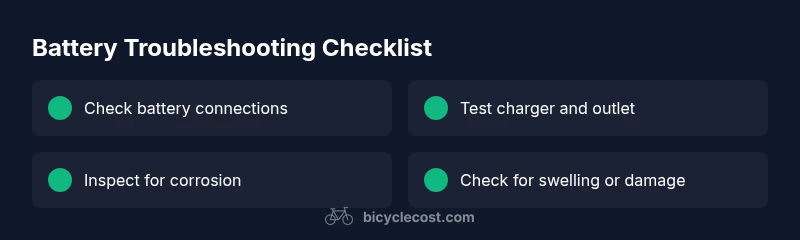
- Check for obvious signs of damage or corrosion on contacts and housings.
- Disconnect all nonessential accessories that draw power when the bike is off (lights, GPS, alarms).
- Try a different charger or outlet to rule out faults in the charging system.
- If the display shows charging but the battery still won’t power the bike, perform a soft reset if your system supports it.
If none of these resolve the issue, move to the connection and port inspections described below.
Note: Avoid forcing connectors or prying at components; damaged components can create safety hazards and may require professional service.
Inspect Battery and Connections
Dismount the battery only if you have the correct tools and training. Inspect all connectors for corrosion, bent pins, or discolored housing. Clean gently with isopropyl alcohol and a soft brush if needed, then reseat the battery ensuring a clean, snug fit. Check the locking mechanism or rails to confirm the pack is secured. If you notice any cracking, swelling, or leakage, do not ride; batteries in this state require replacement and professional handling.
- Look for green or white residue on terminals which indicates corrosion.
- Ensure there are no foreign objects or debris in the connector slots.
- Handle the pack by its edges; avoid touching cells directly.
Test the Charger and Charging Port
A failing charger or port can mimic a dead battery. Use a known-good charger if you have one, and inspect the charging port for debris or damage. If you have access to a multimeter and know how to use it, test for proper output voltage from the charger and continuity in the cable. Compare results to the manufacturer’s spec. If the charger is delivering adequate voltage but the pack isn’t accepting charge, the battery management system or battery pack may be at fault.
- Verify the outlet voltage with a tester to rule out intermittent supply.
- Check for loose or pinched charging cables.
- Confirm the charger plug is the correct model for your pack.
Diagnostic Flow: Symptom-to-Diagnosis (Overview)
The next steps connect symptoms to likely causes in a logical order: power delivery, battery connection, battery health, and then advanced faults in the BMS or pack itself. Start with the simplest checks (outlet, charger, and connectors) and move toward battery health and firmware issues. If you encounter suspicious signs like heat, swelling, or unusual smells, stop and seek professional help immediately.
- Common symptom: bike won’t power on even when the charger indicates charging.
- Probable causes: power delivery issue, loose or corroded connections, aged battery cells, faulty BMS.
- Progressive fixes: test outlet/charger, reseat connectors, inspect for damage, replace charger or battery if needed.
Step-by-Step: Safe Reconnection and Recharging (Detailed Fix)
- Safety prep: Turn off the bike and remove the key or disconnect power if required. Work in a dry, ventilated area away from flammable materials.
- Inspect visually: Look for damaged cables, swollen battery shells, or corrosion on terminals.
- Clean and reseat: Clean connectors with isopropyl alcohol, reattach securely, and lock the battery into place.
- Test charger: Plug into a confirmed live outlet and verify charger indicator lights. If possible, test with a second charger.
- Observe charging behavior: After a full 2–4 hour cycle, check if the battery reports a healthy state of charge on the display.
- Recalibration (if supported): Some packs benefit from a full discharge followed by a full, uninterrupted recharge to recalibrate the BMS.
- Tip: If the pack remains unresponsive after these steps, do not attempt cell repair yourself—the risk of fire or chemical exposure is high.
Safety Considerations and Common Pitfalls
Lithium-based bike batteries require careful handling. Never puncture, crush, or expose packs to high heat. Use only manufacturer-approved chargers, and avoid DIY repairs on damaged packs. Store batteries at moderate temperatures, ideally around 50–77°F (10–25°C), with a partial charge for long-term storage. If you notice swelling, rapid heating, or strong smells, evacuate and contact professional service immediately.
- Pitfall: Using a charger not designed for your pack can cause overvoltage.
- Pitfall: Storing a fully discharged pack for long periods accelerates capacity loss.
- Safety reminder: Always wear gloves and eye protection when handling damaged cells.
Long-Term Battery Care to Prevent Downtime
Regular maintenance extends the life of your e-bike battery. Keep connections clean and free from corrosion, store the bike in a temperature-controlled area, and avoid exposing the pack to extreme temperatures. Charge to 80% for daily use and store at 40–60% for long-term periods. Schedule periodic professional checkups to verify firmware, BMS health, and contact integrity. A well-maintained battery reduces downtime and keeps you riding reliably.
- Pro tip: Track charging cycles to anticipate end-of-life and plan for replacement.
- Note: Software updates may improve charging efficiency and battery reporting.
diagnosticFlow_StartBlockKeyNoteNeededForMapping?):null?
bodyBlocksCountCheck?":null?
hiddenNote":null}
diagnosticFlowPlaceholder":""],
diagnosticFlowNominalKey":"",
analysisNote":null}
diagnosticFlow
Steps
Estimated time: 45-60 minutes
- 1
Power down and safety check
Turn off the bike, disconnect any removable power sources, and work in a dry, ventilated area. Ensure you have the proper tools and follow manufacturer safety guidelines.
Tip: Wear safety gloves and eye protection when handling lithium batteries. - 2
Inspect and clean battery terminals
Remove the battery if you can safely do so. Inspect all terminals for corrosion, grime, or bent pins. Clean gently with isopropyl alcohol and a soft brush, then dry.
Tip: Only use approved cleaners; avoid metal tools that can scratch contacts. - 3
Reseat battery and test fit
Reinsert the battery firmly into its mounting rails, ensuring it locks securely and there is no wobble. Confirm all connectors click into place.
Tip: If the battery feels loose, check mounting hardware for wear or damage. - 4
Test the charger and outlet
Plug the charger into a known-good outlet and verify the charger's indicator lights. If available, try a second charger compatible with your pack.
Tip: A faulty outlet is a common but overlooked cause. - 5
Charge and monitor charging behavior
Allow a full charging cycle (usually 2–4 hours, depending on pack). Check the display for a healthy state-of-charge reading at the end.
Tip: Avoid partial charges that can mislead state-of-charge readings. - 6
Consider firmware and professional check
If the pack still won’t report correct charge, update firmware if offered by the manufacturer or seek professional service for a deeper diagnostic.
Tip: Don’t attempt internal battery repairs; it’s hazardous.
Diagnosis: Bike power is off or display shows 'Battery empty' despite being charged
Possible Causes
- highBattery completely discharged due to aging cells or deep discharge
- highLoose or corroded battery connections at terminals
- mediumFaulty charger or charging port
- lowSoftware/firmware misreporting state of charge
Fixes
- easyVerify outlet power and secure charging connection to battery
- easyInspect and reseat all battery connectors; clean corrosion from terminals
- easyTest with a known-good charger to rule out charger fault
- mediumIf battery still won’t charge, replace charger or consult a professional battery service
- hardIf electrolyte leakage, swelling, or heat is observed, stop using the pack and seek professional service
People Also Ask
My e-bike won't charge at all despite plugging in.
First, verify the outlet and charger are functional, then inspect battery connections for corrosion or loose pins. If the charger works on another pack, the issue may be the battery’s BMS. Seek professional service if unresolved.
Try another outlet and charger first. If it still won’t charge, the battery’s BMS or pack may be faulty, and you should get professional help.
Why does my battery show a charge but the bike won’t run?
This often means a calibration issue or a faulty communication between the battery and bike computer. Try a full cycle discharge and recharge, then reset the system if your bike supports it.
If the bike shows charge but won’t run, recalibrate the battery or reset the system and try again.
Is it safe to use a damaged battery?
No. A swollen, leaking, or hot battery should be removed from the bike and handled by a professional. Do not puncture or attempt to repair the cells yourself.
A damaged battery is dangerous; avoid using it and seek service immediately.
How can I prevent battery downtime in winter?
Store at moderate temperature, keep charge around 40–60%, and avoid exposing the pack to extreme cold. Charge monthly if parked for long periods and check for firmware updates.
In cold weather, keep the battery warm and charged to reduce downtime.
Should I replace the battery if it’s aging?
Yes—aging cells lose capacity and may not hold a full charge. If performance drops noticeably or calcium cycle counts are high, plan a replacement.
If capacity drops a lot, replacement is often the best option.
What should be done after a failed DIY fix?
If your checks don’t restore function, do not continue experimenting. Contact a qualified technician or the bike manufacturer’s service center for a safe, professional assessment.
If it doesn’t fix after basic checks, contact a professional.
Watch Video
Quick Summary
- Check basic power first: outlet and charger.
- Inspect and reseat battery connections.
- Test with a known-good charger before diving deeper.
- Avoid DIY repairs on damaged batteries.
- Regular maintenance extends battery life and reliability.