What Bikes Are Zwift Compatible
Learn which bikes work with Zwift, how compatibility works, and practical setup tips. A data-driven BicycleCost guide to riding smart indoors.


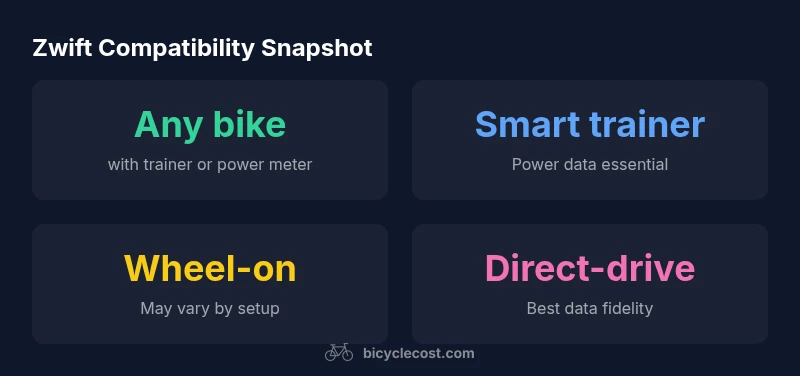
Zwift compatibility is trainer- and data-driven, not bike-specific. Any bike can work if mounted on a compatible trainer or paired with a power meter, as long as the trainer provides reliable power data to Zwift. The bike’s frame or wheel size does not determine compatibility; the key is the trainer and the drivetrain interface.
How Zwift Compatibility Works
According to BicycleCost, Zwift compatibility hinges on the trainer and data signals, not the bike model. Zwift translates your effort into in-game resistance using power data from your trainer or power meter. If your setup provides reliable power data and you follow Zwift pairing steps, you can ride in the virtual world with nearly any bike. A bike mounted on a smart trainer, or connected to a separate power meter, will transmit data to Zwift, enabling racing, structured workouts, and scenic routes. Understanding this distinction helps you choose the right equipment rather than chasing 'Zwift-approved' bike models.
Bikes vs Trainers: What Actually Interacts with Zwift
Zwift doesn’t talk to your bike directly; it talks to your trainer’s sensors or a connected power meter. This means that most road, mountain, or hybrid bikes will work as long as the drivetrain can be mounted on the trainer or can transmit power via a meter. Check the trainer’s compatibility with your bike’s rear dropout width, axle type, and pedal interface. For wheel-on trainers, ensure your wheel attachment is secure; direct-drive units attach the bike via a cassette, eliminating wheel compatibility concerns. In practice, the trainer is the gateway to Zwift, not the bike.
Road Bikes, Mountain Bikes, and Hybrids on Zwift
Road bikes with narrow tires, gravel-adapted road bikes, or sturdy mountain bikes can all be used with Zwift when paired with the right trainer or power meter. Road cyclists often appreciate direct-drive trainers for accuracy and quiet operation, while mountain bikers may prefer rugged stands and proper tire clearance. Hybrids offer a practical middle ground, balancing weight, stiffness, and ease of setup. The common thread is reliable data transmission from your trainer or meter, not a special Zwift-only bike.
What You Need to Get Started
To ride Zwift with your bike, you’ll typically need a compatible trainer (smart or non-smart) or a standalone power meter. Pair the trainer or meter with Zwift via Bluetooth or ANT+. You’ll also want a secure bike mount, appropriate pedals or cleats, and a safe riding space. Having a mat to dampen vibration and a fan for cooling can improve realism and comfort. Remember: the bike itself isn’t the bottleneck; the trainer data stream is what Zwift reads.
Step-By-Step Setup Checklist
- Choose between direct-drive or wheel-on trainer based on budget and space. 2) Confirm that the trainer supports your bike’s dropout/axle type. 3) Install or verify a power meter or ensure your trainer provides power data. 4) Mount or mount-and-tune your bike on the trainer and secure the drivetrain. 5) Pair the device to Zwift and run a quick ride to confirm data flow. 6) Calibrate the trainer as recommended by the manufacturer and Zwift.
Fit, Safety, and Maintenance Considerations
Ensure your bike is properly clamped, the trainer is level, and you have a clear area around the setup. Regularly check for play in the drivetrain and check tire pressure to maintain realism. Clean the chain and check for wear after long sessions. If you’re using a wheel-on trainer, inspect tire wear and avoid using an old tire that could slip. Safety first: keep the setup away from kids and pets, and use a rubber mat to protect the floor.
Common Pitfalls and Quick Fixes
Many users encounter data dropouts when Bluetooth connections interfere with other devices. Solution: switch to ANT+ or change channels. Another frequent issue is a loose bike fit causing noise or drift; re-tighten clamps and verify axle alignment. If Zwift shows zero power, re-pair the sensor, re-calibrate the trainer, and confirm the power reading in the companion app. Lastly, ensure the wheel-on trainer is properly tensioned to avoid tire slip.
Key factors affecting Zwift compatibility
| Aspect | Zwift Compatibility | Notes |
|---|---|---|
| Bike type | Bike-agnostic | Zwift works with most bikes when the trainer or meter transmits data |
| Trainer type | Smart trainer or direct-drive | Wheel-on works but may be less consistent |
| Power data | Power meter or trainer provides data | Crucial for pace, watts, and FTP |
| Setup time | 5–20 minutes | Depends on familiarity and equipment |
People Also Ask
Do I need a Zwift-compatible bike?
No. Zwift doesn’t require a bike labeled as Zwift-compatible. You ride your own bike on a trainer or with a power meter, and Zwift reads the data from that setup.
Nope—Zwift doesn’t require a special bike. You can use your own bike with a trainer or power meter, and Zwift will respond to the data.
Can any bike be used with Zwift?
Most bikes work with Zwift when mounted on a trainer or connected to a power meter. Some bikes with unusual spacing may need adapters, but the trainer data is the main driver.
Most bikes will work as long as you have a trainer or power meter that provides data. Some odd frames might need adapters.
Which trainer types work best with Zwift?
Direct-drive smart trainers and wheel-on smart trainers both work with Zwift. Direct-drive tends to deliver more accurate power data and less variance, making workouts more reliable.
Direct-drive smart trainers usually give the best data and quieter rides.
Is a power meter necessary for Zwift workouts?
Not always. Zwift can pair with smart trainers that generate power data. For precise workouts and analytics, a dedicated power meter is beneficial but not strictly required for casual riding.
You don’t always need a power meter, but it helps for precise workouts.
How do I verify my bike is Zwift-compatible?
Check your trainer’s compatibility with your bike’s dropout width and axle type. Confirm pedal interface compatibility and follow Zwift’s pairing steps. If in doubt, consult the trainer’s manual and Zwift support.
Check the trainer specs and pedal interfaces, then pair in Zwift.
“Zwift compatibility is not about the bike model; the critical factors are reliable power data and a solid mounting setup.”
Quick Summary
- Any bike can ride Zwift with the right trainer or power meter
- Direct-drive trainers typically offer the best data fidelity
- Zwift compatibility is independent of wheel size
- Verify dropout width, axle type, and pedal interface before pairing
- Follow safety and maintenance checks regularly