What Bike for Zwift: A Practical Guide to Indoor Cycling Rittings
Discover how to pick the right bike for Zwift, including trainer compatibility, sizing, pedals, and budget tips for a smooth indoor riding experience.


The best bike for Zwift is typically a road or endurance road-frame that fits your trainer and riding style. Prioritize trainer compatibility, correct frame sizing, and pedal/shoe compatibility to ensure steady power transfer and comfortable workouts. For beginners, a road bike with a standard quick-release rear wheel and compatible cleats works well, while racers may prefer aero frames for efficiency.
Understanding Zwift's Indoor Riding Needs
Zwift simulates outdoor cycling through an interactive virtual world, so your indoor setup hinges on two things: a stable trainer and a bike that can be mounted securely. A well-chosen bike should mount easily on your trainer, provide predictable power transfer, and offer a comfortable riding position for longer sessions. According to BicycleCost, many riders find that starting with a road or endurance road-frame delivers the best balance of stability and gearing versatility for Zwift workouts. The BicycleCost Team emphasizes that the most important factors are trainer compatibility, correct fit, and reliable pedal/shoe interaction. This section explains how to translate real-world bike choices into a Zwift-friendly setup, with practical checks you can perform before you buy or swap components.
Key terms to know:
- Trainer compatibility: rear dropout width, axle type (quick-release vs through-axle), and torque range.
- Fit: saddle height, saddle setback, and handlebar reach to match your natural pedal stroke.
- Pedals/shoes: cleat systems that transfer power efficiently and safely.
When you’re selecting a bike for Zwift, don’t assume a race-oriented aero frame is always best. For most riders, a versatile road frame paired with a solid trainer provides a stable, predictable ride that translates well to virtual climbs and sprints. This guidance aligns with BicycleCost Analysis, 2026, which highlights the importance of practical setup over exotic frame choices for indoor use.
Top considerations for Zwift riders
- Trainer compatibility and mounting options
- Frame size and riding position
- Pedals and cleat compatibility
- Wheel/tire choices for trainer surface
- Budget and upgrade pathways
By focusing on these essentials, you can avoid common mismatches that lead to unstable rides or poor power transfer. A well-matched setup also reduces fatigue and helps you train more effectively on Zwift.
Brand and user experience insights
The BicycleCost Team notes that many Zwift athletes benefit from starting with a familiar road bike and gradually upgrading components as they settle into regular indoor training. This approach minimizes upfront cost while delivering a reliable foundation for future improvements. By prioritizing trainer compatibility and fit, you’ll maximize comfort and performance from your first session.
How to balance cost and performance
- If your budget is limited, start with a used road bike that fits your trainer’s specs and upgrade to a higher-quality trainer or better pedals later.
- If you already own a gravel or hybrid bike, verify that it can be mounted securely and that tire width won’t interfere with the trainer.
- Consider a dedicated trainer tire to reduce wear and improve stability on hard surfaces during Zwift rides.
This section helps you map your goals to a practical, economical path for Zwift.
Common mistakes to avoid
- Assuming any bike will work with any trainer without checking compatibility
- Ignoring fit and comfort, especially saddle height and reach
- Overlooking pedal/shoe compatibility, which can impair power transfer and safety
- Choosing aero frames that require specialized wheels or more precise mounting
By steering clear of these missteps, you’ll be positioned for smoother Zwift sessions and fewer interruptions during workouts.
Tools & Materials
- Smart trainer (wheel-on or direct-drive)(Must match your bike’s rear dropout width and axle type)
- Bike(Road or endurance road frame with compatible rear dropout spacing)
- Cleats and cycling shoes(Check compatibility with pedals (SPD-SL, Look, or other))
- Zwift account / subscription(For accessing virtual workouts and routes)
- Trainer tire (optional but recommended)(Reduces wear and improves trainer stability)
- Rear dropout adapters or spacers (if needed)(Ensure secure contact with trainer)
- Ventilation (fan) and water bottle(Keep you cool and hydrated during workouts)
- Basic bike tools and lube(For initial setup and maintenance)
Steps
Estimated time: 60-90 minutes
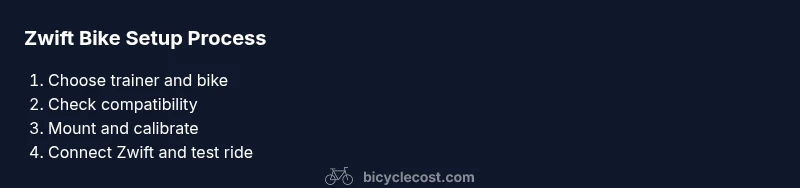
- 1
Check trainer compatibility
Verify your trainer’s mounting type (wheel-on or direct-drive) and the rear dropout width to ensure secure attachment to your bike. Confirm you have the correct adapters if needed. A misfit can cause instability during Zwift simulations.
Tip: Consult the trainer manual and measure the dropout spacing before purchasing adapters. - 2
Choose a bike type that fits indoors
Opt for a road or endurance road frame with a standard quick-release rear wheel for easy mounting. Avoid bikes with nonstandard frames or complex internal routing that could complicate installation on a trainer.
Tip: Road bikes with 1x or 2x drivetrains are versatile for Zwift workouts. - 3
Set up the trainer and bike connection
Mount the bike on the trainer according to the trainer’s instructions. Check that the bike remains stable when pedaling and that the resistance unit engages properly. Calibrate the system if your trainer supports calibration.
Tip: Ensure the bike is centered on the trainer’s clamp for balance. - 4
Install pedals/shoes and check cleats
Attach your chosen pedals to the crank arms and clip in your cycling shoes. Make sure cleats are tight and at the correct float to prevent knee pain during rides.
Tip: Test a quick 5-minute pedal at low resistance to verify engagement. - 5
Demo a short Zwift connection test
Power up Zwift, pair the trainer as the power source, and perform a quick spin to verify data transmission (watts, cadence, speed). Resolve any dropouts before a bigger session.
Tip: If data lags, re-pair the device in Zwift settings. - 6
Calibrate and configure ride settings
Calibrate the trainer if available, set tire type, wheel size, and gearing in Zwift to reflect your bike. Choose a comfortable gearing range for initial workouts to avoid overspiking high power outputs.
Tip: Use a moderate gearing setup for climbs and accelerations. - 7
Make a quick test ride
Do a 5–10 minute test ride to confirm fit, comfort, and ride feel. Make small adjustments to saddle height or cockpit reach as needed.
Tip: Take note of any knee or back discomfort and adjust gradually. - 8
Lock in a routine and monitor progress
Save preferred ride profiles in Zwift, monitor power vs. cadence, and adjust your bike setup after a few sessions if you notice persistent fatigue or discomfort.
Tip: Keep a simple log of fit tweaks and ride metrics.
People Also Ask
Do I need a dedicated Zwift bike or can I use a regular road bike?
A regular road bike is usually sufficient for Zwift when mounted on a trainer with compatible hardware. A dedicated Zwift bike may be useful if you want to avoid swapping wheels or components, but it isn’t required for most users.
A standard road bike on a compatible trainer works for most Zwift riders, and a dedicated setup is optional.
What is the best pedal type for Zwift?
Clipped pedals (road or MTB-specific systems) provide reliable power transfer and control. Choose cleats that match your shoes and trainer compatibility.
Clipped pedals are generally the best option for power transfer and security.
How important is frame material for Zwift?
Frame material is less critical indoors than fit and trainer compatibility. Any well-fitting frame that mounts securely on your trainer will perform adequately for Zwift.
Fit and proper mounting matter more than frame material for indoor use.
Can I use any trainer with Zwift?
Zwift supports most popular trainers, but pairing and calibration steps vary. Check compatibility with your bike’s dropout width and axle type before purchasing.
Most major trainers work with Zwift, but verify compatibility first.
Do I need a power meter for Zwift?
A trainer that provides power data can be enough for Zwift, but a separate power meter on the bike provides cross-training metrics and higher accuracy.
Power data is usually available from compatible trainers; a separate meter adds precision.
How should I size a bike for Zwift?
Use standard road-bike sizing practices: measure inseam for standover height, and adjust saddle height and reach for a comfortable, efficient position. Indoor rides demand a precise fit to avoid fatigue.
Proper size and fit are key for comfort and performance during Zwift sessions.
Watch Video
Quick Summary
- Match trainer compatibility before bike choice
- Prioritize fit and safe pedal/shoe interface
- Road bikes are versatile starting points for Zwift
- Calibrate and test before long sessions